
Desktop & Mobile Friendly Interface
Access school data on desktop or mobile.Access your school data from anywhere—on desktop or mobile.
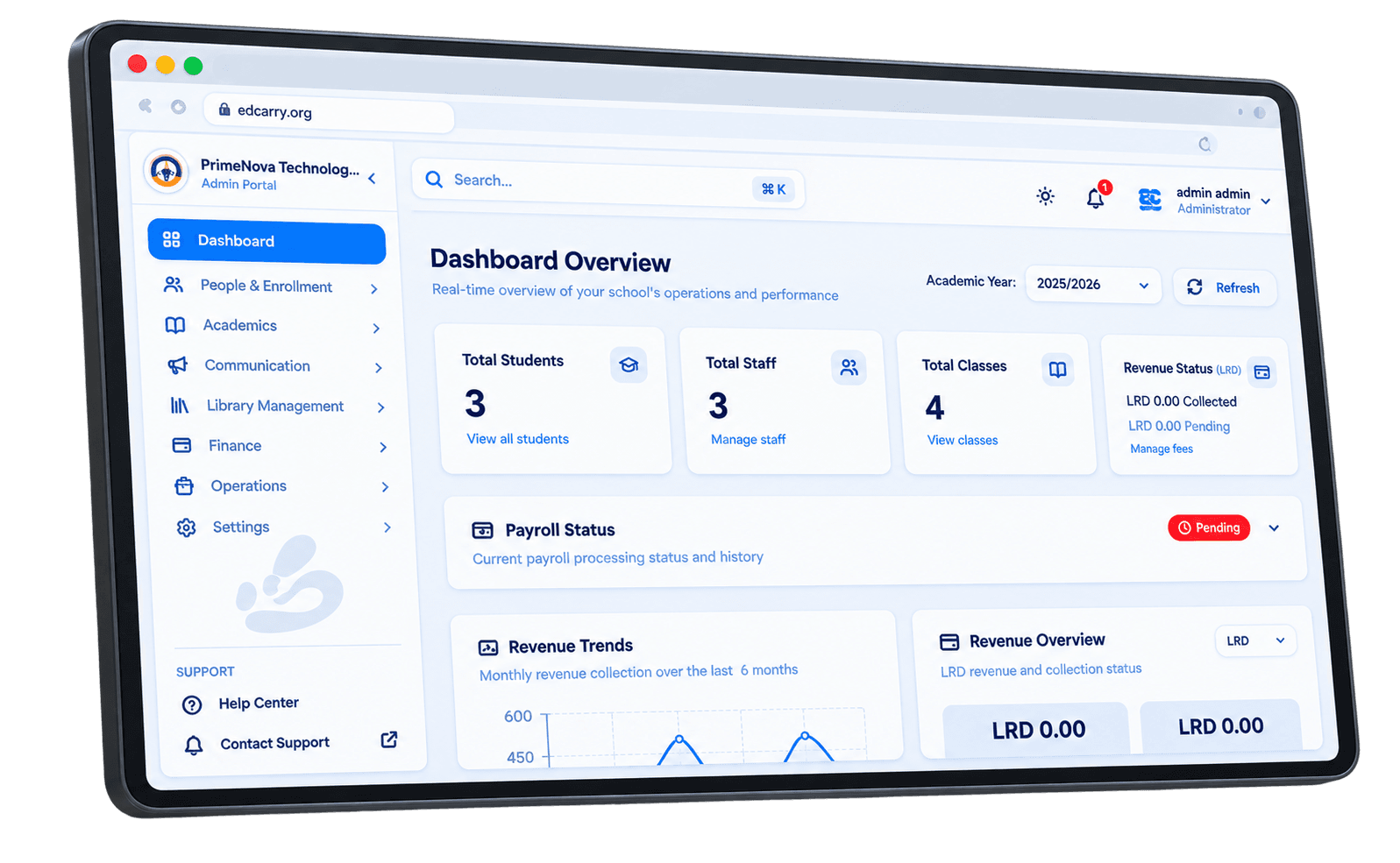
Simplify school management with one all-in-one system for academics, finances, and administration.

Academic governance, financial control, and operational clarity in one place.
Access school data on desktop or mobile.Access your school data from anywhere—on desktop or mobile.
Add and manage teachers, staff, and students.Add and manage teachers, staff, and students. Organize classes, subjects, and enrollment in one place.
Run payroll, collect fees, and track arrears.Run payroll, track staff payments, collect school fees, and monitor arrears.
Assign roles and permissions.Assign roles and permissions: define who can submit grades, access payroll, or change financial data.
A ministry-aligned governance platform for principals, directors, and teachers.
One command center for academic year setup, grading, attendance, payroll, and fees.One command center for academic year setup, grading, attendance, payroll, and fees. Structure your year and control teacher submissions within set windows.
Full visibility into fees, payments, and payroll.Full visibility into fees, payments, and payroll. Control who can access financial data. Keep records aligned with Ministry expectations.
Configure terms and grading periods to align with Ministry of Education guidelines.Configure terms and grading periods to align with Ministry of Education guidelines. Your data stays secure and compliant.
Define submission windows and lock grades after deadlines.Define submission windows and lock grades after deadlines. Protect academic integrity and ensure only authorized changes.
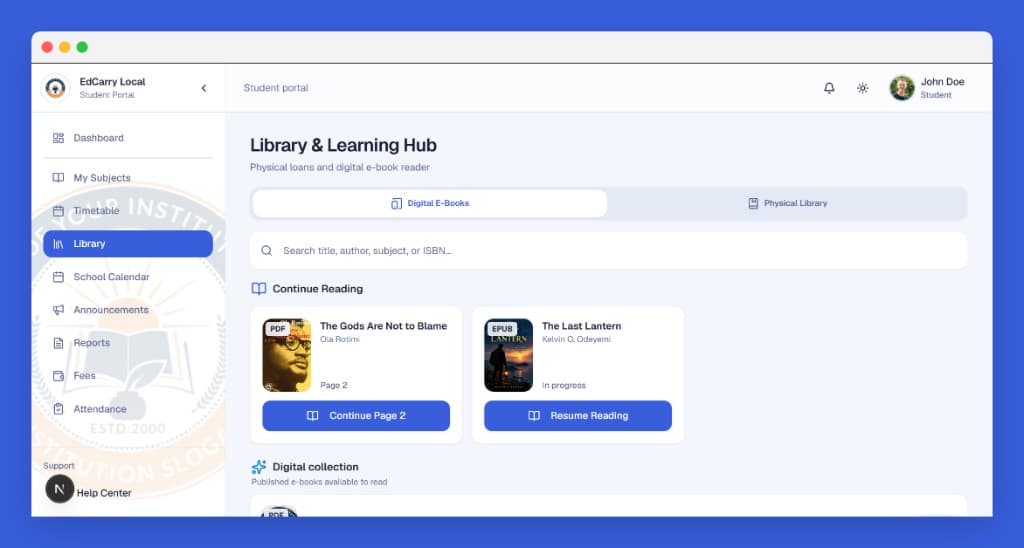
Publish e-books and pick up reading where students left off.Give your school a Library & Learning Hub. Publish e-books, let students pick up where they left off, and keep physical loans in the same place.
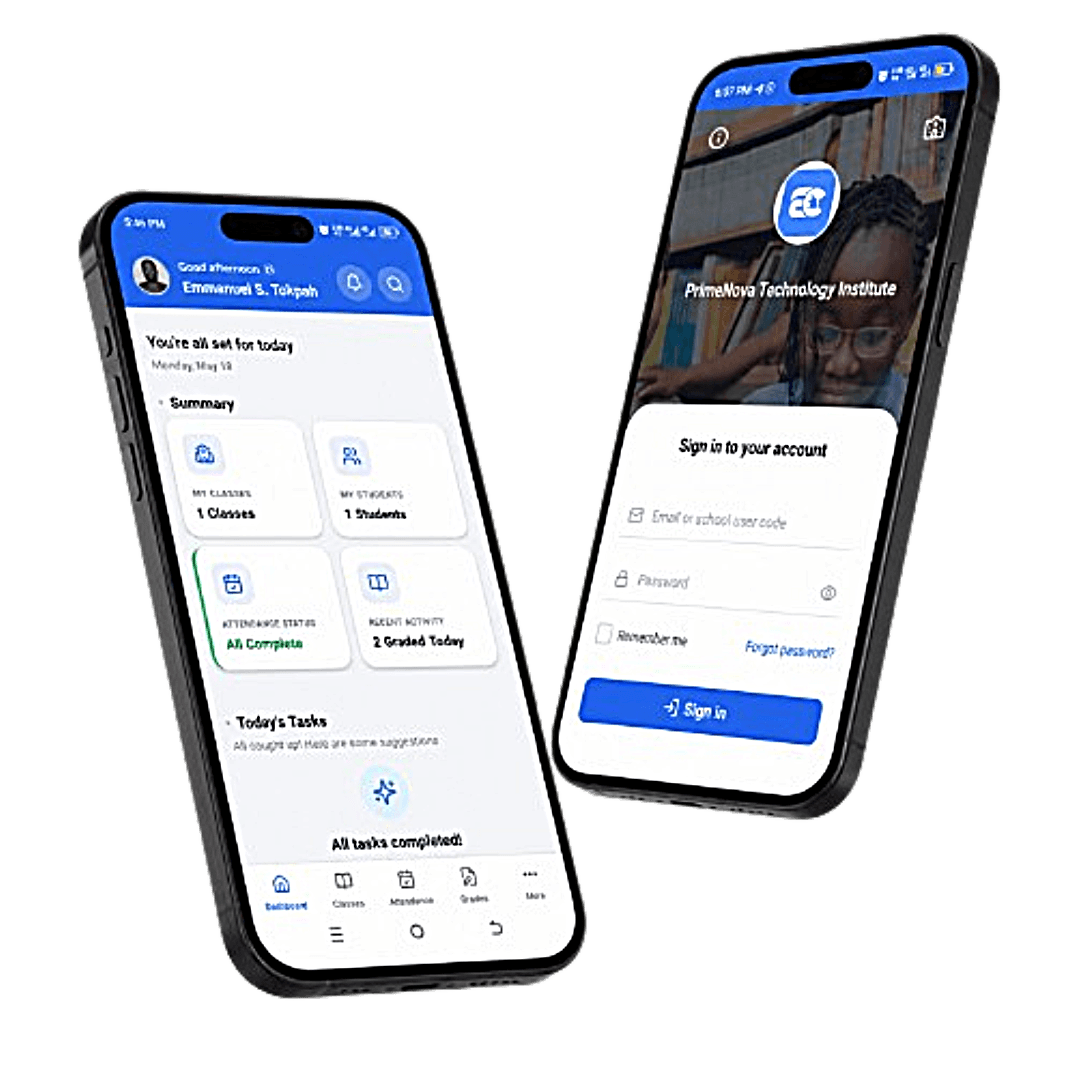
Mark attendance, enter grades, and view classes from your phone.For teachers at EdCarry schools. Mark attendance, enter grades, and view your classes from your phone — even without internet. Changes save on your device and sync automatically when you’re back online.
See why schools choose one command center instead of spreadsheets and paper.
Ministry-aligned terms and grading
Grade locking and submission windows
Role-based access control
Student, staff, and support staff management
Centralized fee and payroll tracking
Audit trail and accountability
Single place for attendance, grades, and finance
| Feature | EdCarry | Manual / Spreadsheets |
|---|---|---|
| Ministry-aligned terms and grading | ||
| Grade locking and submission windows | ||
| Role-based access control | ||
| Student, staff, and support staff management | ||
| Centralized fee and payroll tracking | ||
| Audit trail and accountability | ||
| Single place for attendance, grades, and finance |
From registration to full governance in minutes.
Register your school and set up your profile.Register your school and set up your profile. Configure your academic year and terms.
Add principals, directors, and teachers.Add principals, directors, and teachers. Assign roles and permissions so everyone has the right access.
Configure grading windows and manage fees.Configure grading windows, record attendance, run payroll, and manage fees.
Enter your student count and see your annual total—personalized for your school size.
Questions? Contact us
Short answers for principals and directors deciding whether EdCarry fits their school.
Looking for day-to-day how-to guides? Read the help center FAQs.
Join schools using EdCarry as their operations command center. Register your school and get started.